Master Class
Essential Reporting Knowledge
Electronic Batch Manufacturing Record
Summary
The Electronic Batch Manufacturing Record (eBMR) brings together the recorded materials, manufacturing activity, quality checks, and signoffs associated with a selected batch. It helps production and quality teams review what was made, which materials were used, and who carried out or reviewed the recorded work.
The report starts with product and batch information, then follows the applicable manufacturing stages. It can include incoming material transactions, hazard and allergen acknowledgements, checklist responses and deviations, process quantities, equipment, produced pallets, SPC, and laboratory results.
The sections available depend on the batch’s recorded activity, the report options selected, and your site configuration.
Report Setup
Open the JasperReports web interface and locate Electronic Batch Manufacturing Records (eBMR) in the Production report folder. You can also search the report library by name.
Select the required product batch. Where available, use the optional formula control to narrow the batch selection. Choose the sections to include, then run the report.
The available section options are:
- Incoming material log — material transactions and associated sampling or receipt checks.
- Preweigh — preparation activity, materials, checks, and signoffs.
- Blending — blending steps, consumed materials, checks, and signoffs.
- Final production — final process activity, components and quantities, waste, yield, and produced pallets where applicable.
- SPC — recorded process-control runs, samples, checks, and approvals.
- LIMS results — analytical work card information and laboratory test results.
These option names describe the report sections. Installed controls may use “Dispensary”, “Blender”, or “Packing”; default selections are configured by your site.
Sample Report
Start by checking the product and batch information, then review the materials, process evidence, and checks for each applicable manufacturing stage.
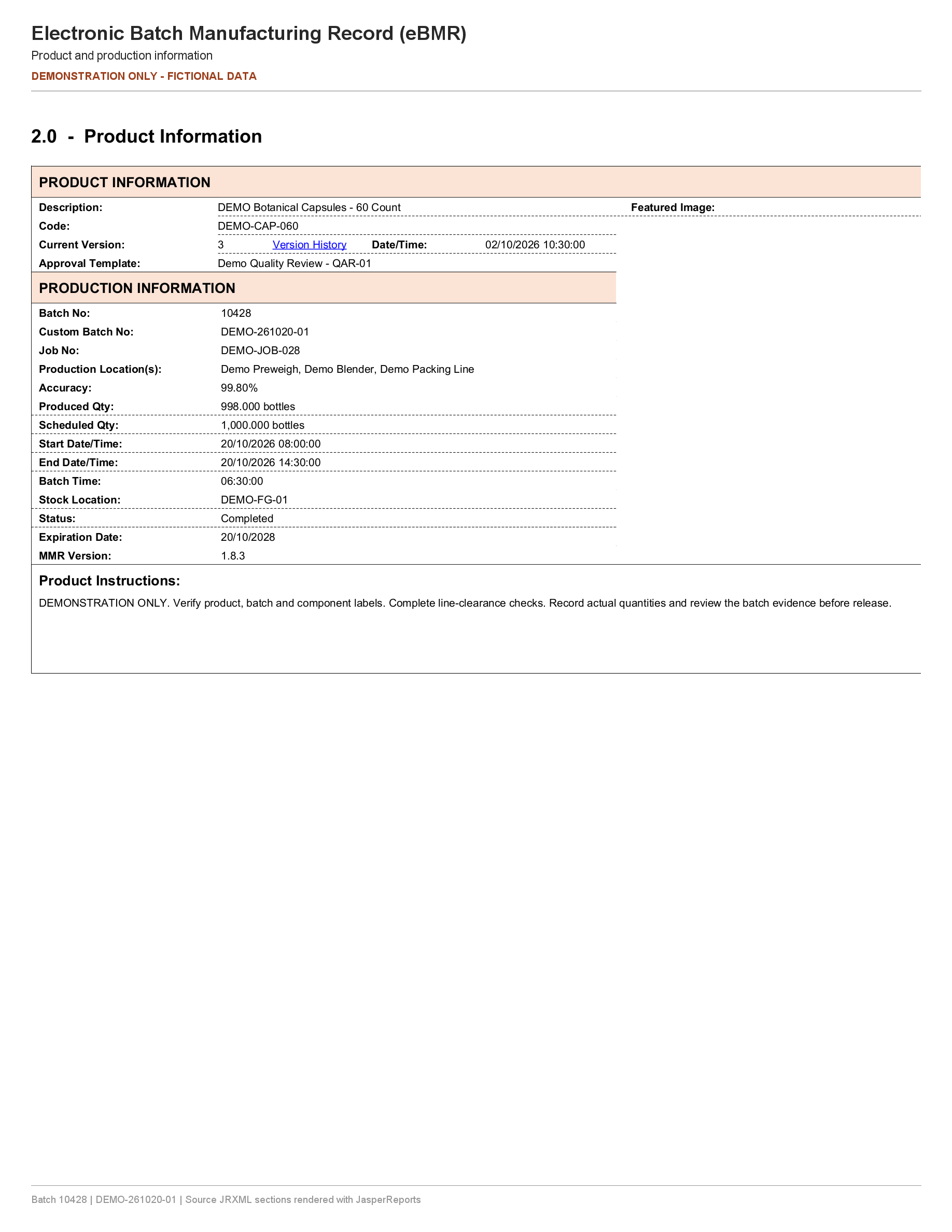
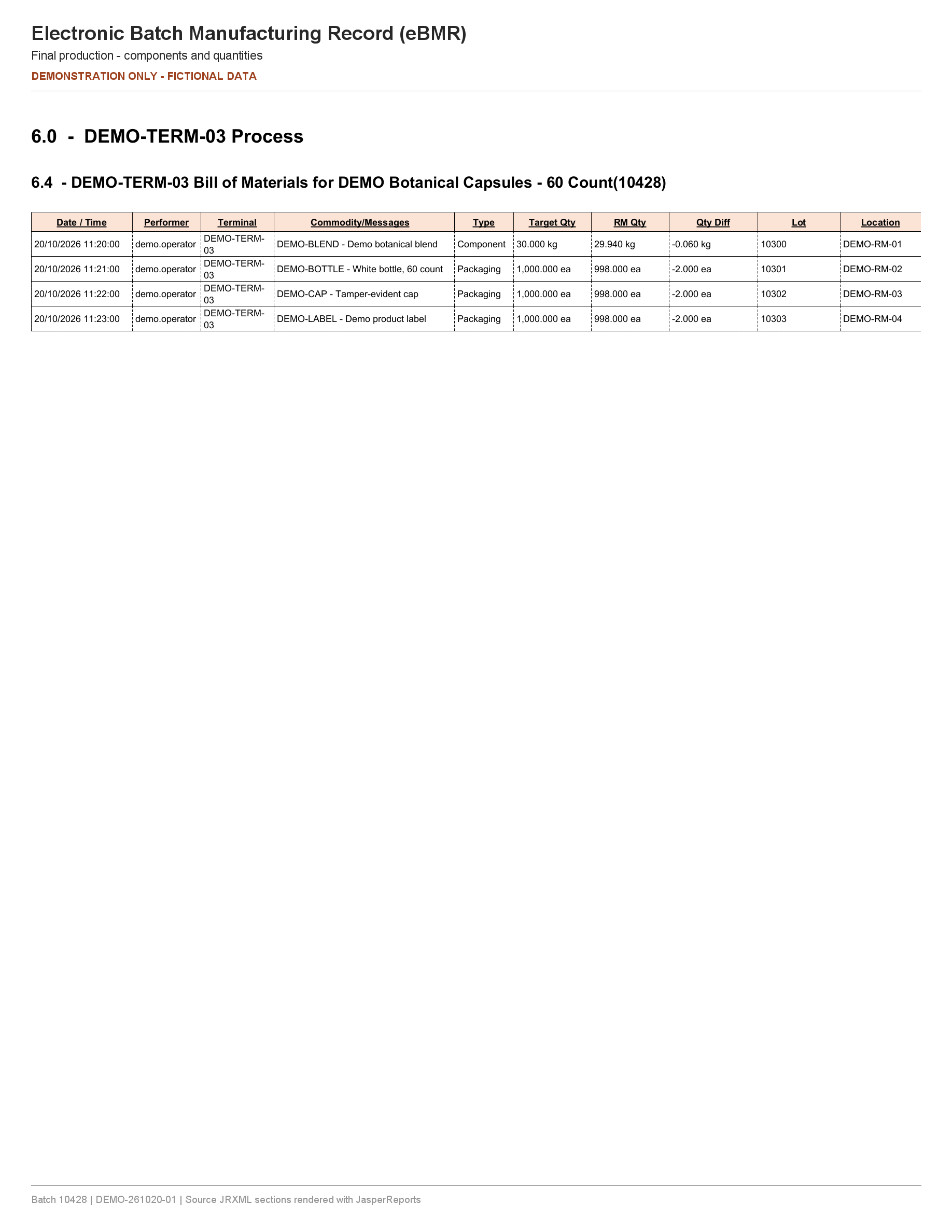
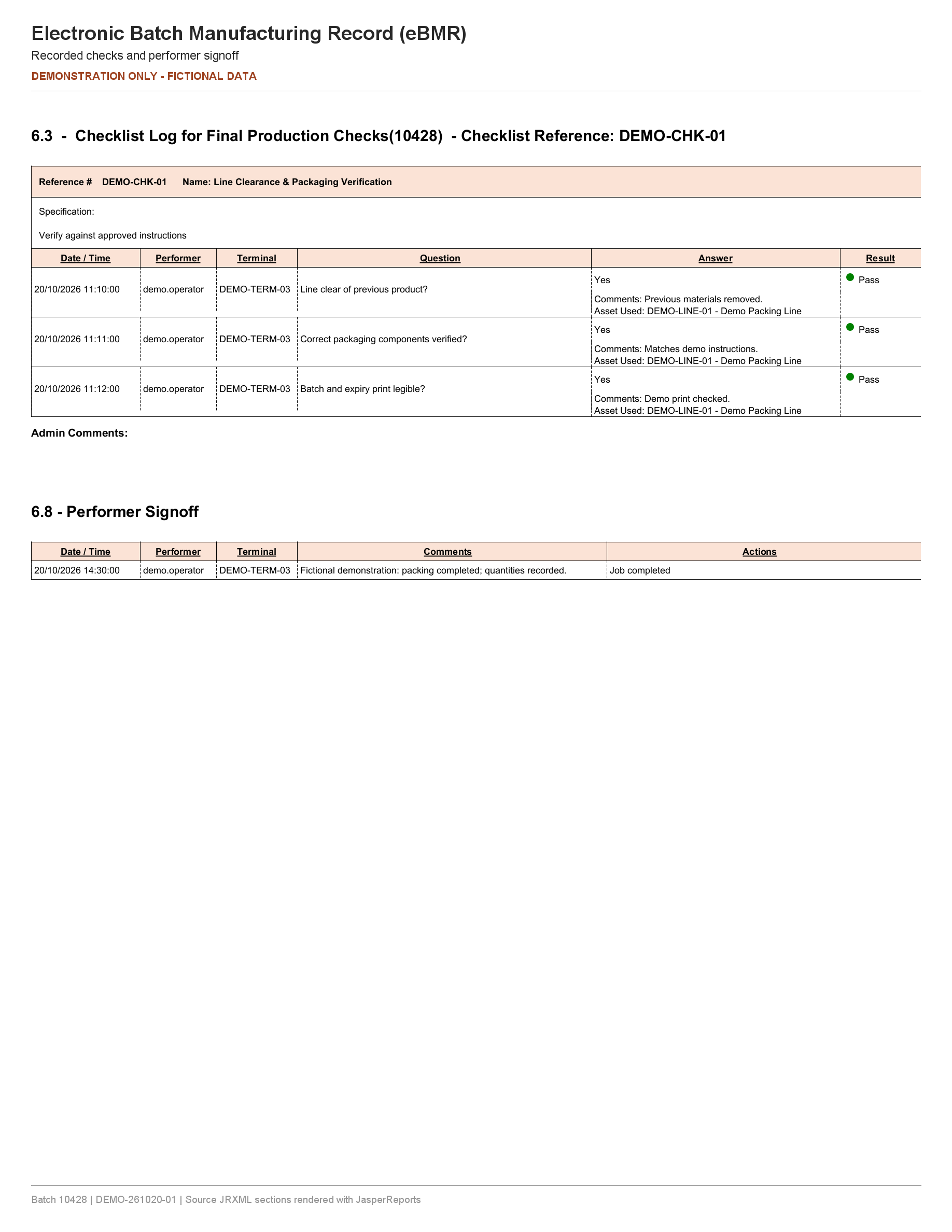
The examples below use fictional batch 10428 / DEMO-261020-01 for DEMO Botanical Capsules – 60 Count. The report sections were rendered from the current eBMR Jasper templates with example data. They are selected sections, with demonstration headers and footers added for this guide.
The complete record is organised into:
- 1–2. Introduction and Product Information: product code, version, instructions, batch and job references, dates, quantities, status, and locations.
- 3. Incoming Material Sampling & QC Receipt Log: material movements and available receipt or sampling checks.
- 4–6. Preweigh, Blending, and Final Production: steps and materials, hazard and allergen acknowledgements, checklists and deviations, start/end checks, signoffs, and equipment. Final production can also include waste, component yield, and produced pallets.
- 7–8. SPC and LIMS Results: process-control information, measured samples and checks, laboratory work card details, and test results.
The number of pages and the level of detail vary with the selected batch.
Links To
The eBMR includes the following links in the JasperReports web viewer:
- Table of contents — jumps to a section within the record. Available sections depend on the selected options and recorded data.
- Version History — opens the Formula Version History report for the product’s formula in a new window or tab.
- View Image — opens the Checklist Image Viewer where a checklist attachment exists. A job-end check can also provide a direct image link.
- Pallet reference / LPN — opens Pallet Summary when the grouped produced-pallet view is enabled.
Some web-only link fields are excluded from PDF output. Use the web viewer when reviewing image attachments and related reports. Links inside the example images above are not interactive.
Related report guides: Electronic Batch Record, Job Batches, and Batch Yield.